


Three quick tips to cut your streaming costs
1. Subscribe selectively
Instead of subscribing to multiple streamers at once and watching a few things on each, pause subscriptions until there’s a lot you want to see on one particular service (jump to our ‘subscription hopping’ guide below).
2. Drop down a tier
If you’re not watching lots of things filmed in 4K HDR with spatial audio, you don’t really need the Super Mega Ultra tier for that streaming service.
3. Buy a bundle
Some streamers are cheaper if you buy them as part of a bundle – such as a phone contract with bundled streaming or a multi-service package like Apple One.
Streaming is a bit different from the days when all you needed was a single Netflix subscription. To watch all the big shows and movies today you need to have a big budget to accommodate the cost of not just Netflix but Disney+/Hulu, HBO Max or Now TV, Paramount+ and Apple TV and Prime Video and more.
With a little forward thinking and judicious use of your Reminders app you can pause the subscriptions that aren’t delivering the best value, cut the price of the subs you want to keep and share streaming with family members who don’t share the same roof. I’ve worked out that doing this will save me over 50% in 2026, and there’s no reason why you can’t make similar savings.
In this piece I’ll mostly be quoting UK pricing because that’s where I live, but the tips and the savings will be much the same elsewhere too. Here’s how to slash the cost of your streaming subscriptions without sacrificing the best shows and movies.
The basics
1. Drop down a tier
The full-fat Super Mega Ultra Plan with 4K UHD, HDR and spatial audio is great, but how many of the shows you’re watching were filmed using those features?
Dropping down from 4K to 1080p means a big saving on Netflix. The Premium 4K plan costs $24.99 / £18.99 / AU$28.99, while the Standard one is $17.99 / £12.99 / AU$20.99, a saving of 46% here in the UK.
Similarly, Disney+ is £14.99 a month for up to 4K in the UK, but only £9.99 for 1080p. That’s a saving of 50% per month if you drop down a tier.
If your TV isn’t massive and or very close to your sofa you might not be able to see a huge difference between 1080p and 4K, especially if your TV does a decent job of upsampling from Full HD.
2. Embrace the ads

Yes, ads – especially randomly injected ads – are annoying. But moving off ad-free plans to ad-supported can save you a ton of cash – so, for example, dropping from Netflix Standard to Netflix Standard With Adverts drops the price from $17.99 / £12.99 / AU$20.99 a month to $7.99 / £5.99 / AU$9.99 a month, saving 53%.
You can’t skip the ads but if you’re like me you’ll quickly develop muscle memory for the location of the mute button on your TV remote, or get really good at picking up your phone for exactly 60 seconds.
3. Disown your children
If, like me, you have a child who’s moved out, you can save a lot of money by disowning them. Or at least, by not paying extra to share a streaming service with them.
Here in the UK, those extra member accounts for people who don’t share the same roof add £4.99 per month to your streaming plan on Disney+ or Netflix (or £5.99 if you’re sharing a Netflix no-ads plan).
Don’t worry, I’m not completely depriving my kids. My Apple subscription is a family one, so they have Apple TV (and Apple Music). And that brings me to bundling.
4. Buy a bundle
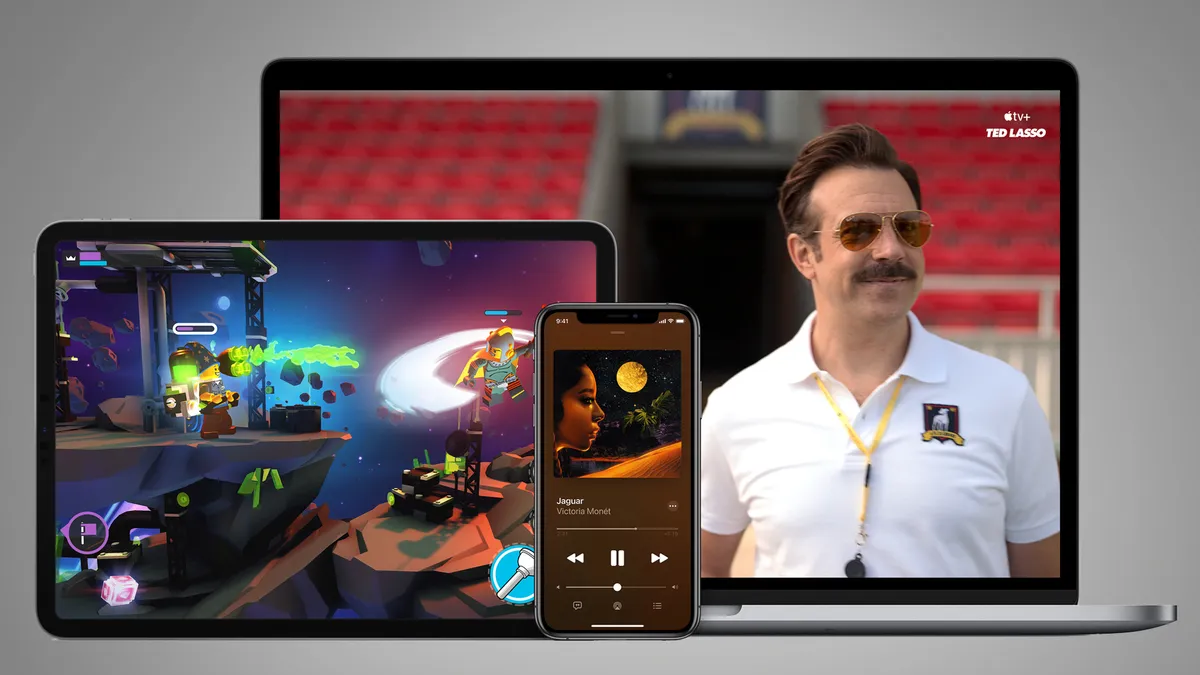
One way to get streaming for less is to get it in a bundle – for example, my Apple TV subscription is available as a stand-alone sub or as part of an Apple One bundle.
If you’re already an Apple Music subscriber it works out cheaper to switch to Apple One than to buy Apple TV separately: in the UK, Apple One is £18.95 for an individual subscription compared to £10.99 for Apple Music plus £9.99 for Apple TV. And you get extra iCloud space and Apple Arcade thrown in too.
The family plan is only £5 more and you can share your music, TV and Arcade subscription with up to five people.
5. Subscription hopping

Got all of those basics covered and still looking to save from streaming cash? Now we come onto the biggest (and arguably best) way to slash your bills.
Pausing your monthly subs can save you a fortune – although of course it isn’t an option if you’ve paid up-front for an annual plan.
I think there are two kinds of streaming shows. There are the shows you absolutely have to watch right now because (a) they’re brilliant and (b) if you don’t some clown on the internet will spoil it for you. And there are the shows that are… okay.
For me the former includes shows like Slow Horses, Down Cemetery Road, Severance and Pluribus, which coincidentally are all on Apple TV – so I’m going to keep that subscription.
But I subscribed to other services for specific shows only: Now TV for The Last of Us, Paramount+ for Yellowjackets, Netflix for Stranger Things. And when those shows are done I don’t mind pausing those subscriptions until there’s more must-see TV.
Let’s look at the numbers. For simplicity’s sake I’m going to quote the unbundled price of Apple TV and Prime Video because it gets messy otherwise.
If I hadn’t stopped or changed any of my 2025 subscriptions my monthly bill would be:
- Netflix (ads) £5.99
- Paramount+ £7.99
- Now TV (ads) £9.99
- Apple TV £9.99
- Prime Video (ads) £5.99
- Disney+ (ads, extra person) £10.98
That’s a total of £50.93 per month (around $68 / AU$103).
Pausing the first three subscriptions and removing the extra member feature from Disney takes the monthly costs to this:
- Apple TV £9.99
- Prime Video (ads) £5.99
- Disney+ (ads) £5.99
That’s a total of £21.97 per month, a saving of 56%. And with subscription hopping I can swap subscriptions during the year, for example by trading Netflix for Disney Plus for a month or two.
There are a few caveats here. Streamers often offer promotional discounts that cut the sticker price, especially for annual sign-ups – although while that might save you money it does stop you subscription-hopping, too.
There are also other ways to get some streaming services for less, such as by getting them bundled with a new phone contract or in the UK with Sky TV, Virgin Media or similar. But if you’re subscribing directly to individual streaming services, pausing them for a few months here and there can save you serious sums.
Fancy giving is a go in 2026? Here’s our cheat sheet table for the first few months of the year to help you formulate your subscription hopping plan.
Our cheat sheet
Your tastes will probably differ from mine, so here’s a quick guide to some of the best new shows that are landing on Apple TV, Netflix, Prime Video, Disney Plus and more in the next few months.
|
Month |
Service |
Shows / notes |
|
January |
Apple TV |
Hijack S2 (Jan 14), Drops of God S2 (Jan 21), Shrinking S3 (Jan 28) |
|
January |
Netflix |
Harlan Coben’s Runaway (Jan 1), His & Hers (Jan 8), People We Meet on Vacation (Jan 9), Agatha Christie’s Seven Dials (Jan 15), The RIP (Jan 16), Bridgerton S4 Part 1 (Jan 29) |
|
January |
Prime Video |
Steal (Jan 21) |
|
January |
Peacock |
Ponies (Jan 15) |
|
January |
HBO Max |
The Pitt S2 (Jan 8), Industry S4 (Jan 11), A Knight of the Seven Kingdoms S1 (Jan 18) |
|
January |
Disney Plus / Hulu |
Pole to Pole with Will Smith (Jan 14), Wonder Man (Jan 27) |
|
January |
Paramount+ |
Scream 5 (Jan 14), Star Trek: Starfleet Academy (Jan 15), Smurfs (Jan 15) |
|
February |
Apple TV |
The Last Thing He Told Me S2 (Feb 20), Monarch: Legacy of Monsters S2 (Feb 27) |
|
February |
Netflix |
The Lincoln Lawyer S4 (Feb 5), The Night Agent S3 (Feb 19) |
|
February |
Prime Video |
Man of the Run (Feb 25) |
|
February |
Disney Plus / Hulu |
The Artful Dodger S2 (Feb 10), Paradise S2 (Feb 23) |
|
March |
Netflix |
One Piece S2 (March 10), Peaky Blinders: The Immortal Man (March 20) |
|
March |
Prime Video |
Scarpetta (March 11), Deadloch S2 (date TBC) |
|
March |
Peacock |
Ted S2 (March 5) |
|
March |
HBO Max |
Rooster (date TBC) |
|
March |
Disney Plus |
Daredevil Born Again season 1 (March 4) |
Follow TechRadar on Google News and add us as a preferred source to get our expert news, reviews, and opinion in your feeds. Make sure to click the Follow button!
And of course you can also follow TechRadar on TikTok for news, reviews, unboxings in video form, and get regular updates from us on WhatsApp too.


Add Comment